Page 3 of 3
Re: PSOBB: Known Issues Thread
Posted: Mon Jan 29, 2024 5:48 pm
by YetAnotherAdmin
From a previous user having the same issue, he had to reduce the display size to 1024 and less or 1366 for wide screen.
not sure if it's an issue with some GPU
Re: PSOBB: Known Issues Thread
Posted: Tue Jan 30, 2024 7:56 am
by Zido
Thank you for your answer! Unfortunately, this solution didn't solve the problem for me :/ I tried to set the resolution at the lowest value and even set graphics on low tier and the crash still happens. I have an AMD GPU, could it be some kind of incompatibility ?
Re: PSOBB: Known Issues Thread
Posted: Sun Mar 03, 2024 12:18 pm
by Eckxile
Hey all!
Having a crashing issue. I can get the game to work for about 5 minutes and then the game will crash without any notification/error message etc.
Here are my settings below:
Game Settings (Current, tried multiple variations nothing seems to change. Changed resolution to lowest, windowed, and normal graphics):
Widescreen
1920x1080
Color 32Bit
Wait V-Sync
High End
Sound On
Font Tahoma
Save Id and Password
Executable Settings:
SHOsoBB.exe
Compatibility Disable Fullscreen Optimizations
Note: Tried compatibility in windows 8, 7, and XP no difference
PC Specs:
Windows 11 Pro X64
32GB RAM
13th GEN I7
MSI Z690-A MB
AMD Radeon RX 5700 XT 8GB
Driver Version: 24.2.1
Error Log Info(PSOBB Log Folder):
N/A Blank
EDIT FOR ALL WONDERING HOW THIS WENT
It was resolved.
I wanted to rule out hardware first so I uninstalled and re-installed the game to an all new drive installed into my PC. This did nothing. The issue resumed. I know the game was not overworking other PC components according to my PC's diagnostics while the game was running. This meant it was software related.
I booted my PC into safe mode and enabled/executed one program on my PC at a time that would normally be running in the background. I did this because I noticed the game was closing rather than crashing. There were no errors, no crash logs so I thought it had to be something on my own PC causing an issue, not the game itself. After just a couple of programs it turns out it was Webroot closing the game, EVEN after I speifically allowed the executable in its permissions.
Just a PSA to all who use Webroot on your gaming PC, it may be causing the same issue for you.
Re: PSOBB: Known Issues Thread
Posted: Sat Nov 02, 2024 10:54 am
by Toph Bei fong
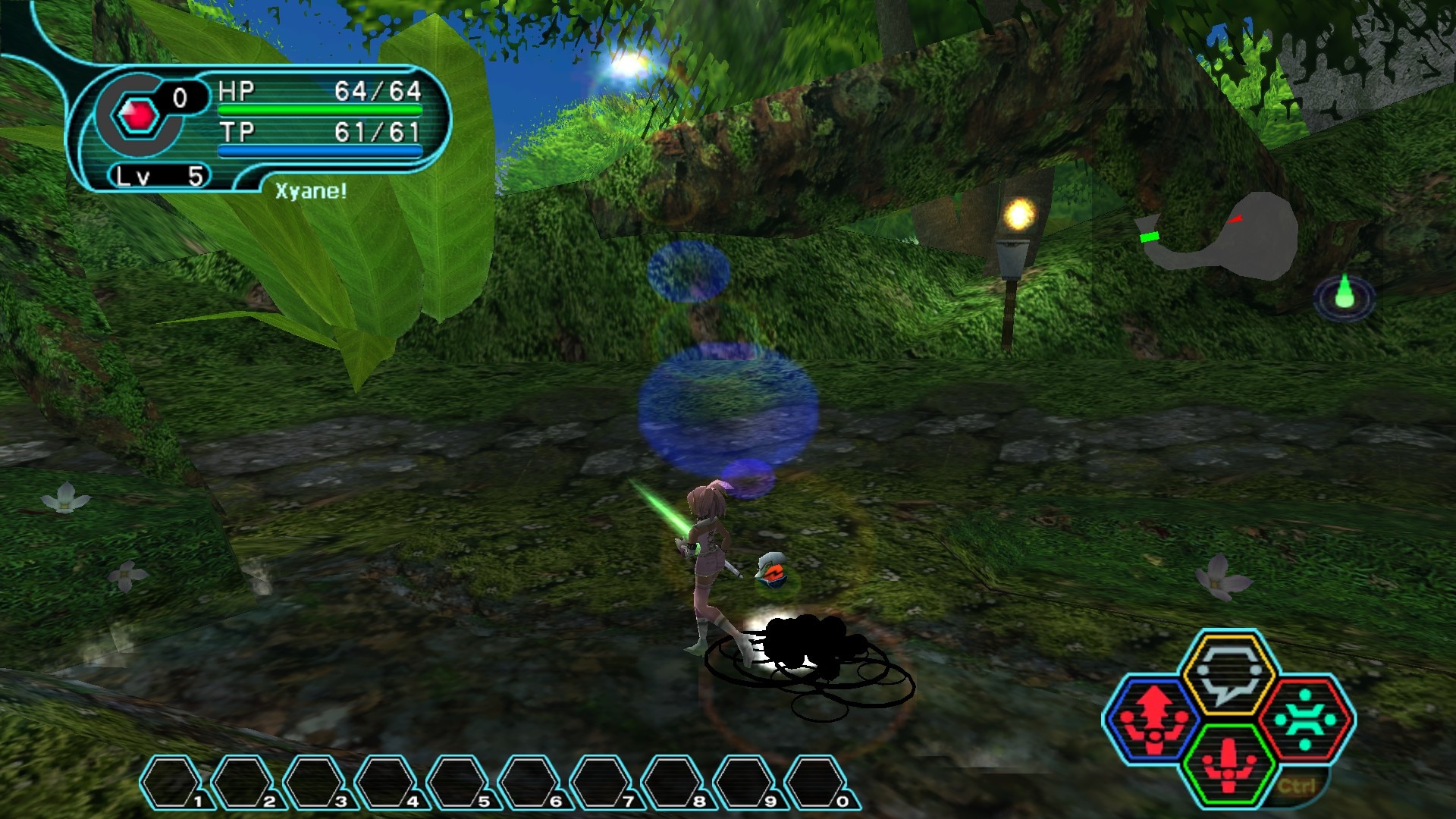
hey just want to let someone know when you walk in water, the splashes are black instead of the actual water color.
could this be something on my end?
Re: PSOBB: Known Issues Thread
Posted: Thu Nov 14, 2024 3:39 pm
by Ulvjeger
Every time i use a handgun my game crashes

Re: PSOBB: Known Issues Thread
Posted: Sun Nov 17, 2024 8:45 am
by YetAnotherAdmin
try this:
Open the start menu
Type "sysdm.cpl" and press enter
Go to "Advanced" tab
Click Settings (on the performance group)
Go to "Data Execution Prevention" tab
Select "Turn on DEP for all programs and services except those I select"
Click Add and search for PSOBB's executable (SHPsoBB.exe)
Click ok to close everything
Re: PSOBB: Known Issues Thread
Posted: Mon Nov 18, 2024 2:33 am
by Ulvjeger
YetAnotherAdmin wrote: Sun Nov 17, 2024 8:45 am
try this:
Open the start menu
Type "sysdm.cpl" and press enter
Go to "Advanced" tab
Click Settings (on the performance group)
Go to "Data Execution Prevention" tab
Select "Turn on DEP for all programs and services except those I select"
Click Add and search for PSOBB's executable (SHPsoBB.exe)
Click ok to close everything
That Fixed thank you so much!!!!!

Re: PSOBB: Known Issues Thread
Posted: Mon Sep 01, 2025 2:51 pm
by popcornfist
Constantly losing all of my meseta upon logging out...
I started a new FOmar character, but struggling to play due to this issue. I quickly found out about the issue of money disappearing from my bank, so opted to keep all in my inventory. When logging back in earlier, over 500k gone again, set back to zero.
The only other issue I have noticed is that my Kabanda keeps devolving back into Apsaras when I log back in as well. Maybe related?
Thank you!